Timetable Operation · 21 Feb 2026
Reading a Working Timetable Without Getting Lost
A working timetable looks like a wall of numbers until you know what three columns to follow. After that, it reads like a story with a schedule.
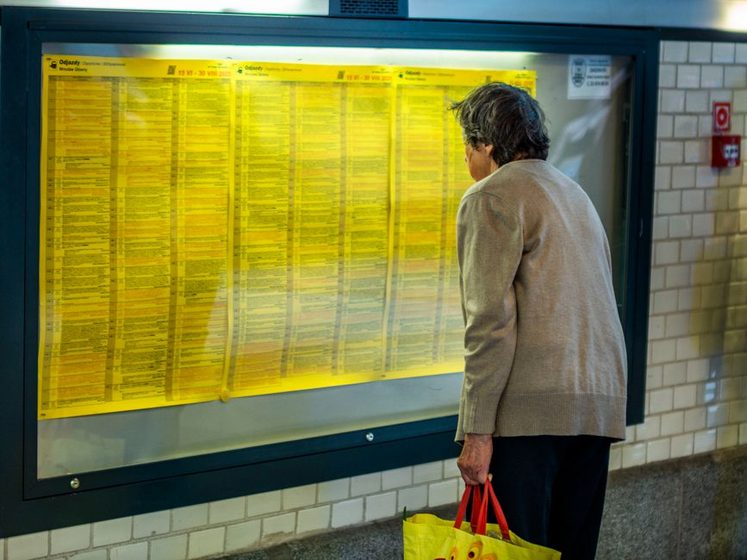
The first working timetable most operators ever see gets handed over five minutes before a session starts, and it looks like a tax form printed at the wrong size. Four-digit numbers march down the page in blocks. A column of headcodes sits there unexplained. Somewhere in the middle, a pass time does something different from an arrival time without ever saying so out loud. The natural response is to fold the sheet away and run the session by feel instead. That gets you through one evening. It stops working the moment two trains want the same siding at once, which is usually about twenty minutes in. The sheet isn't as dense as it looks — most of it can wait. Three columns can't, and once those three are automatic, the rest of the page starts reading itself.
What a Working Timetable Is For
A public timetable is written for a passenger: it says when a train leaves and where it ends up, and not much more. A working timetable — a WTT, borrowing the shorthand most operators pick up from the real railway — is written for the people running the trains, and it includes movements a passenger would never think to ask about. Empty stock returning to a yard after the last service. A trip working that spends its whole life shuffling wagons between two sidings and never sees a platform. A light engine heading back to shed once its turn is done. On a spare-room layout the working timetable does the same job at a smaller scale — it's the one document that accounts for every piece of stock for the length of a session, not just the trains a visitor at the fence would notice.
The Three Columns That Matter First
Set the rest of the sheet aside for a moment and hunt down three things: the headcode, or train number, that names the working; the arrival time at a given location; and the departure time from that same location. That's the whole spine of the document. Everything else — platform, line, pass time, load, priority — is detail hung off that spine, and none of it means much until the spine is standing. An entry with only those three columns filled in is still a complete, runnable instruction: this train arrives here at this time, and leaves at this time. Add the headcode of the entry below it and you already know what happens next. That's enough to run a session. It isn't enough to run a good one yet, but it's enough to stop staring at the page.
| Column | What it tells you | Read it |
|---|---|---|
| Headcode / number | Names the working so you can follow it down the sheet | First |
| Arrival | When the working reaches a given location | First |
| Departure | When it leaves that same location | First |
| Pass | A moment it ran through without stopping at all | Later |
| Platform / line, class, notes | Where it physically sits, how it ranks, its exceptions | Later |
An entry with only three columns filled in is still a complete, runnable instruction.
Why the Extra Columns Can Wait
Platform and line tell you where a train physically sits, which matters once a layout has more than one road into a station and matters a great deal once two trains want the same road. Pass times mark a location a train runs through without stopping — useful mostly for working out whether it gets in the way of something else. Class or priority ranks trains against each other when the sheet can't keep them fully apart: does the stopping goods pull into the loop for the express, or does the express wait its turn instead? Notes carry the exceptions — a Saturday-only working, a train that only runs when a siding is full. All of it is real information. None of it is where a beginner should start, because reading it before the three core columns are automatic just adds noise to a page that already looks like noise.
The mistake almost everyone makes first
New operators tend to read every column of every entry in order, left to right, top to bottom — and give up two-thirds of the way down the page. Reading a working timetable isn't a left-to-right skill, it's a column skill. Follow the headcode down first, then the arrival, then the departure, for one working at a time. Bring back platform, line and notes only once the spine makes sense. Most operators who read a sheet fluently now learned it exactly this way, one working at a time.
Following One Working Down the Page
Take a single entry — call it Goods 3 — and trace it the whole way through instead of trying to hold the whole sheet in your head at once. It starts in the yard at 9.14, arrives at the interchange at 9.26, and sits there until 9.31 while a wagon gets set off and another gets picked up. From the interchange it runs to the siding built for exactly this kind of work, arriving at 9.40 and leaving empty ten minutes later, headed back to the yard. None of that sequence needed a platform number or a priority code to make sense. It needed a headcode to know which entries belonged together, and a column of arrivals and departures to know the order they happened in. Once you can do that for one working without hesitating, you can do it for two — and two workings sharing a line is where a timetable stops being paperwork and starts being an operation.
When Two Workings Start Talking to Each Other
A working timetable bothers with three columns instead of one because most layouts have more workings than they have track to run them on. Two trains can't occupy the same section at once, so somewhere on the sheet, one of them arrives at a passing point a few minutes before the other departs from it — waiting its turn without being told to in so many words, the wait just sitting in the gap between two numbers. Once arrival and departure are fluent for single workings, these gaps start to jump out unprompted: that's a meet, that's a following move, that's a train losing five minutes so another can get past. That's also roughly the moment a working timetable turns into the switch list an operator actually works from during a session — the sheet and the session become the same document.
Building the Habit
There's no shortcut around building this the slow way, but there is an order that tends to work:
- Pick one working and read only its headcode, arrival and departure — nothing else on that line.
- Walk it location by location until you reach the end of its run.
- Add its pass times, and notice which of them actually matter.
- Add a second working that shares track with the first, and find where the two meet.
- Only then bring in platform, line and notes for both.
Do that once, on paper, before the first proper session, and the wall-of-numbers feeling mostly doesn't come back. It's a reading skill rather than a memory test, and reading skills tend to get easier the same way they always do — by being used.
A note on formats
Working timetable layouts vary by tradition and by operator — British WTT sheets, US employee timetables and home-built spreadsheets all arrange broadly the same information a little differently. This piece describes the columns in general terms rather than any single published standard, and most home-layout operators adapt the format freely to suit their own stock and stations.